
Format
Animated wedding invitations that unfold as they scroll
An animated wedding invitation your guests open from their own link. Depending on the design, a seal breaks or petals fall, and each section reveals as they scroll on their phone. Then they reply right there, at the end of the story.
What a scroll story actually is
Most animated invitations are short clips. Ours is a page. Each section comes to life as your guest scrolls to it, so the invitation moves at their pace instead of racing past on a fixed timeline.
It starts with an opening worth tapping. A wax seal cracks open, a gold envelope opens at a tap, a satin curtain pulls aside or a pair of doors parts. Inside, petals drift down, vines draw themselves in and a live countdown ticks toward your day.
Then come the parts your guests actually need: your story, your photos, every event with one tap for directions, and the reply form waiting at the end. It is a full invitation that happens to move, built to be seen on a phone, which is exactly where your guests will open it.
Why a link does more than a video file
Many animated invitations are video files, so here is the honest answer: Link Invitation does not export videos. It makes an animated invitation your guests open, use and reply to.
It is personal.
Every guest gets their own link. Sent on WhatsApp, the preview card shows their name before they even tap.
It takes the RSVP.
The reply form sits inside the invitation, so guests answer without leaving it, and you are not left chasing replies across a dozen chats.
It stays correct.
Venue changed? Update it once and every guest sees the current version at the same link.
It is light.
No large file landing in the family chat, nothing to download and nothing to buffer. It opens in the browser like any other link.
How guests open and reply
- You send it.Send each guest their own link from your dashboard, one WhatsApp chat per guest, one tap each. See how WhatsApp delivery works. Guests who don't use WhatsApp can get their link another way.
- They open it.One tap and the invitation opens in their phone's browser. No app to install, no account to create.
- They scroll and reply.At the end of the story they answer for each event they are invited to, along with dietary needs and any questions you add.
- You see it land.Replies arrive in your live RSVP dashboard: who is coming, who has not answered yet and the notes they left.
You set a reply-by date and choose whether replies close on that date or stay open.
Designs
Open one and scroll it yourself
An animated invitation is easier to judge on your own phone than in a description. Start with these scroll-story designs:
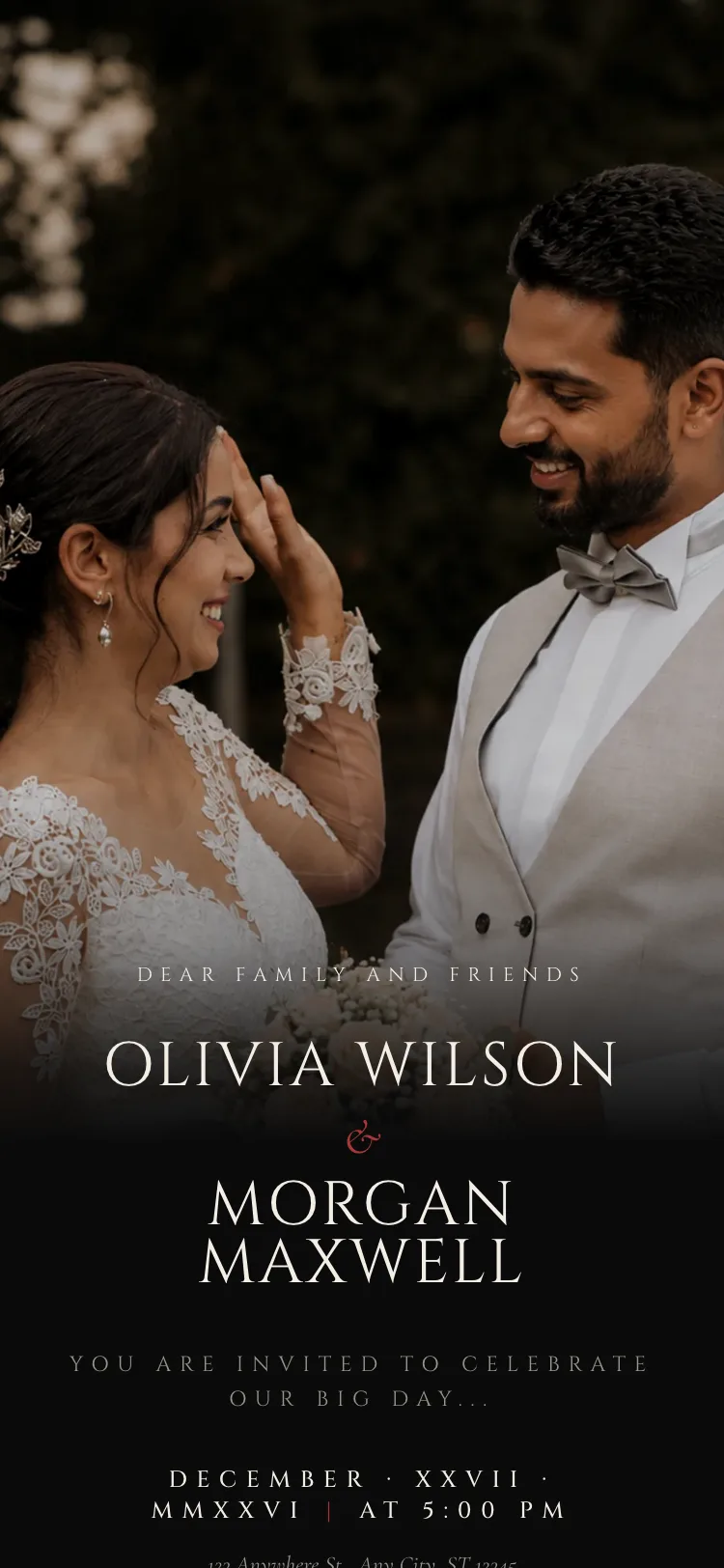
Eternal Noir (Modern): your portrait dissolves into deep noir.
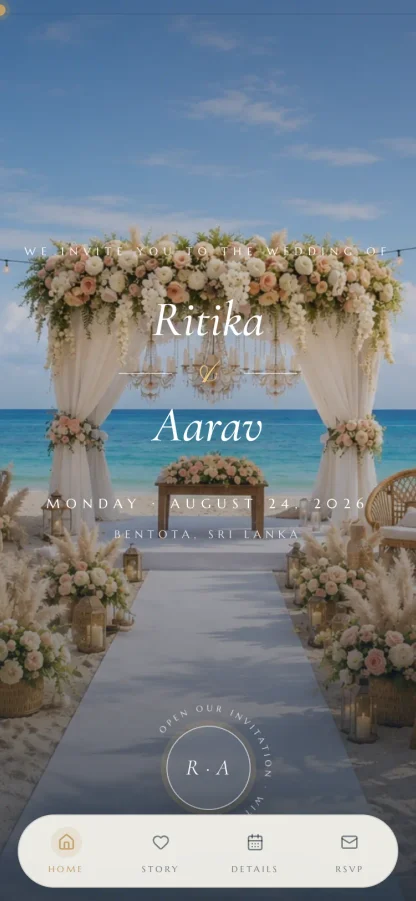
Sunset Shores (Beach): animated waves and a message-in-a-bottle reveal.
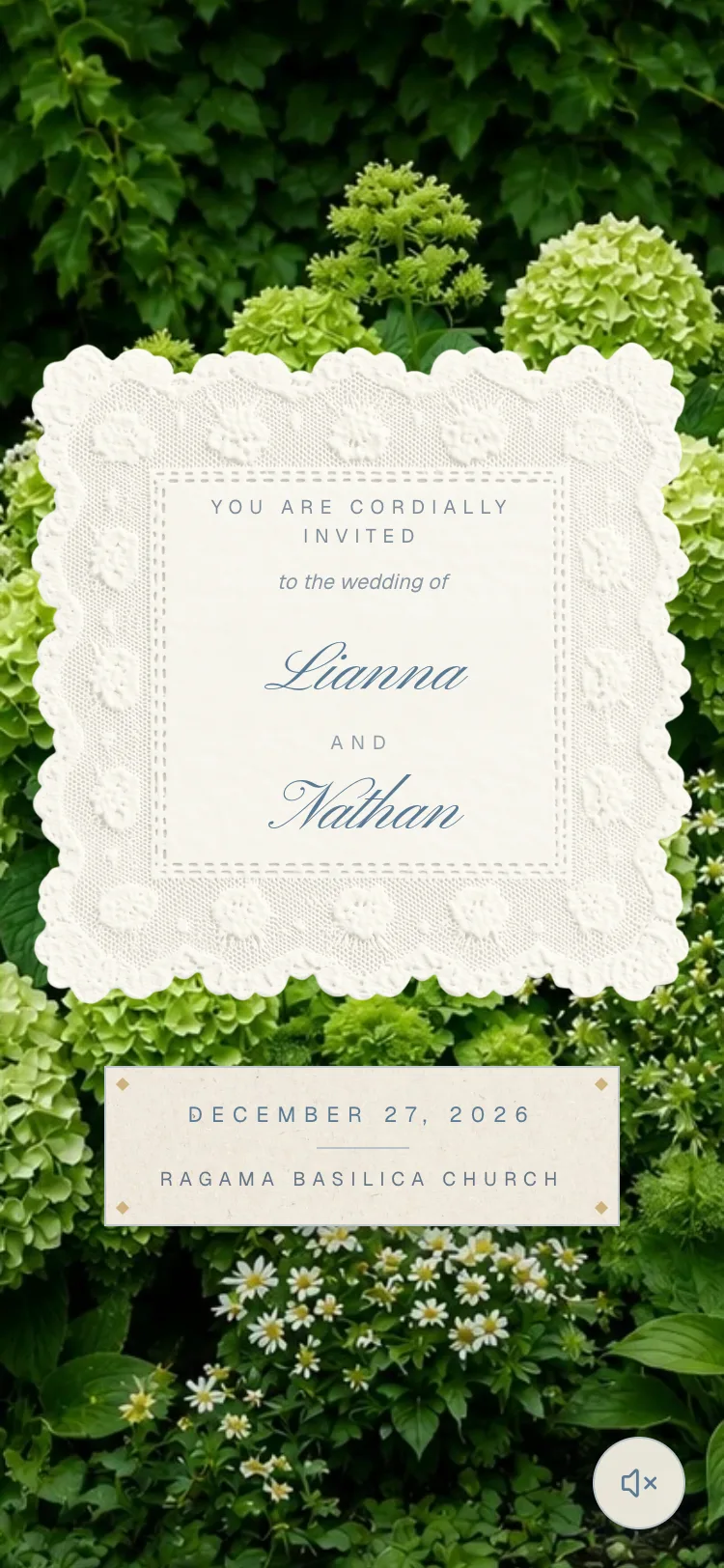
Hydrangea Lace (Floral): dusty blue lace with a stamp-card countdown.
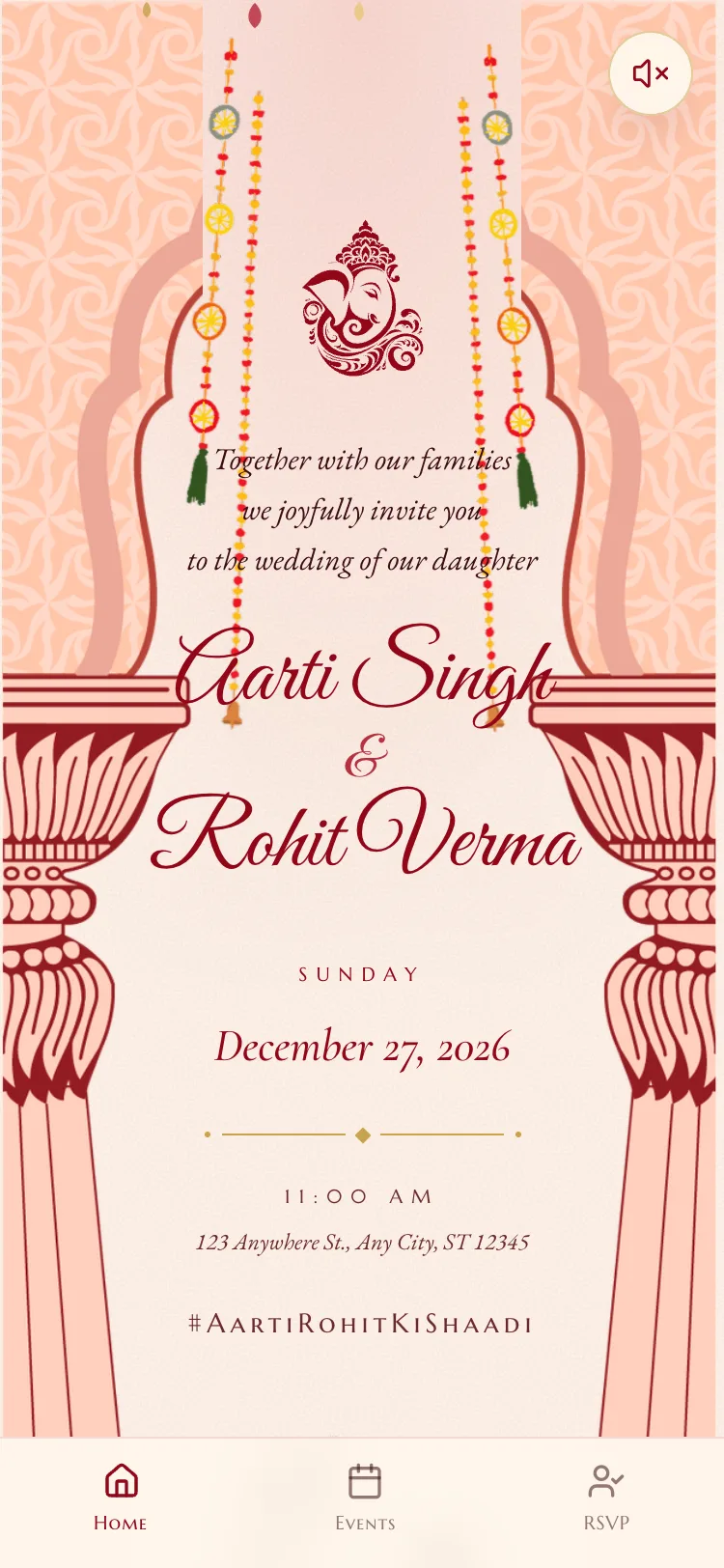
Sindoor Bliss (Cultural): event cards for Mehendi, Sangeet, Wedding and Reception.
Want an animated wedding invitation card that feels like opening real stationery? Look for the wax seal, envelope, gate and curtain openings among the wedding invitation designs. Change your mind later and you can switch designs while keeping everything you have written.
Every event in one invitation
Ceremony, reception, mehendi, after-party: they all live in one invitation. Each guest gets one link that covers every event they are invited to, and they only see the events that apply to them. Replies come back per event, so you know how many people to expect at each one, not just overall.
Planning a wedding that runs over several days? Read how to put every event in one invitation.
How yours gets made, and what it costs
- Essential, US$29. You build it yourself. Pick a design, write your sections, then build and preview it free. You pay only when you are ready to send.
- Excellence, US$99. Our team designs it around you. Because it is made for you, there is no free preview.
Both are a one-time payment with unlimited guests and no subscription. Compare plans.
Frequently asked
Questions
Anything not here, message us on WhatsApp and we will answer it.
Can I get it as a video?
No. Link Invitation does not export video files. Your animated invitation is a page each guest opens from their own link. That is what lets it do more than a clip: guests reply inside it, the WhatsApp preview shows their name, and if a detail changes, you update it once and every guest sees the current version.
Will it work on older phones?
It opens in the phone's web browser like any other link, with nothing to download and nothing to buffer. Guests do not need an app or an account. A guest on an older handset and slow data gets the same invitation as everyone else. Scroll-story designs are made to be seen on a phone.
Can guests reply inside the animated invitation?
Yes. The reply form sits at the end of the story, so guests answer without leaving the invitation. They reply for each event they are invited to and can add dietary needs or answer questions you set. Every reply appears in your live RSVP dashboard as it arrives.
Can I change details after I send it?
Yes. If the venue, time or any other detail changes, update it once and every guest sees the current version at the same link they already have. There is nothing to resend and no old version left sitting in anyone's chat with the wrong information.
Can I put the ceremony, reception and other events in one invitation?
Yes. Add every event to one invitation. Each guest gets a single link covering the events they are invited to and sees only those. Guests reply per event, so your numbers for each one stay accurate, from the ceremony through to the after-party.
How much does an animated wedding invitation cost?
Essential is US$29: you build it yourself and can build and preview it free before you pay. Excellence is US$99: our team designs it for you. Both are a one-time payment with unlimited guests and no subscription, so there is nothing to cancel after the wedding.
Send an invitation that moves
Pick a design, add your story and events, and on Essential, watch it come to life on your own phone before you pay a thing.